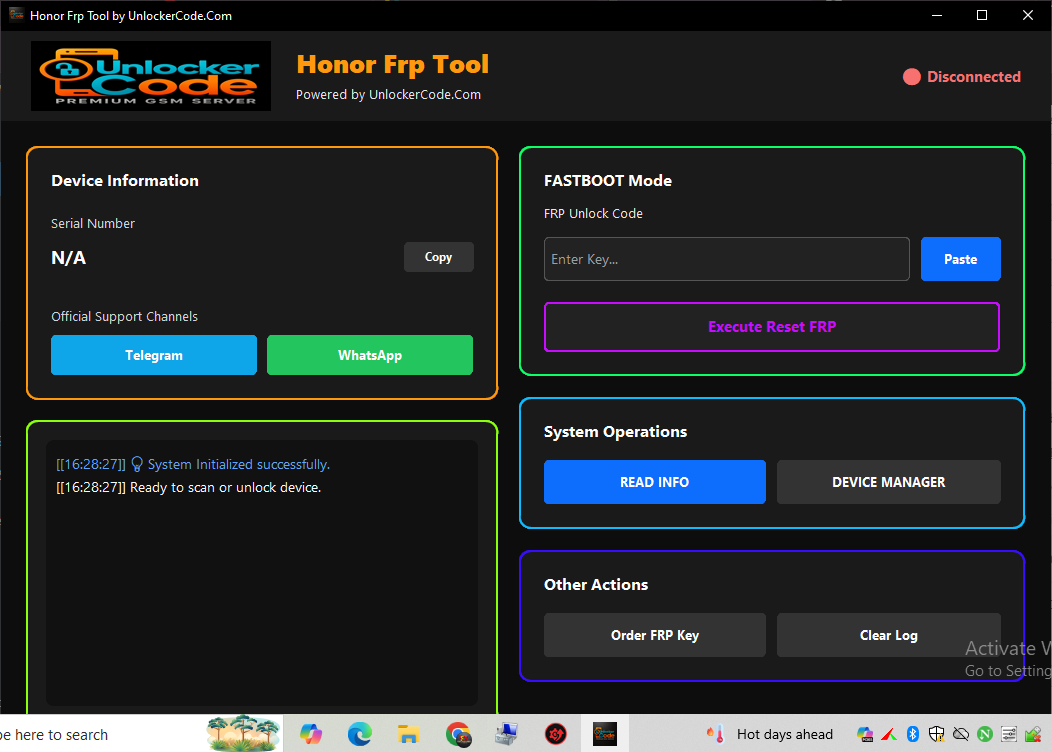
Honor FRP Tool Download – Latest Version (Unlock FRP Using FRP Key)
Honor FRP Tool is a professional utility to bypass Google Factory Reset Protection (FRP) on Honor smartphones. The latest version allows you to unlock your device easily using an FRP Key with a fast and simple process.
⚠️ Important Notice:
Use this tool only on your own device or with proper permission. We are not responsible for misuse.
Use this tool only on your own device or with proper permission. We are not responsible for misuse.
📥 Download Honor FRP Tool (Latest Version)
✨ Key Features
- ✔️ FRP Unlock using FRP Key
- ✔️ One-click FRP bypass
- ✔️ Supports latest Honor devices
- ✔️ Fast and secure unlocking
- ✔️ Easy-to-use interface
📱 Supported Devices
- Honor 7 / 8 / 9 / 10 Series
- Honor 20 / 30 / 50 Series
- Honor X Series
- Honor Magic Series
⚙️ How To Use Honor FRP Tool
1 Download and extract the tool.
2 Install USB drivers.
3 Run tool as Administrator.
4 Connect your Honor device.
5 Enter FRP Key.
6 Click Unlock FRP.
7 Wait until process completes.
💡 Requirements
- Windows PC
- USB Cable
- Honor USB Driver
- FRP Key
📌 Note:
If device not detected, reinstall drivers or change USB port.
If device not detected, reinstall drivers or change USB port.
❓ FAQ
Is this tool free?
Yes, but FRP Key may be required for unlocking.
Is it safe?
Yes, if used correctly.
Does it support all Honor phones?
Supports most old and latest models.
🏁 Conclusion
The latest Honor FRP Tool provides a simple and fast way to remove FRP lock using an FRP Key. Perfect for beginners and technicians.